Rank jacker
How to Do Keyword Research & How to Analyze Your Keywords for SEO in 2021
By: [su_tooltip style=”tipped” position=”north” size=”2″ title=”Rank-Jacker” content=”Posts by Rankjacker Team”]Rank Jacker[/su_tooltip] ∣ Updated: April 17, 2021
What Is Keyword Research?
The keyword – Research is one of the most important tasks at the beginning of each search engine optimization.
Search terms that users should enter into search engines such as Google.
The research provides important results on how the target group searches for information or products and services in the search engines.
Based on this, your own website’s actions can be derived, such as the design of landing pages that are to be found as best as possible by the target group via the search engines.
Do You Want More Traffic,
More Leads & More Clients?
Let us analyze your website today for better ranking & revenue. Click on the below button for a free analysis. Request A Free Analysis!
What Is Keyword Analysis?
It is important to find out how many searches queries a certain word has to identify which area of the customer journey the user is in when they enter a search term.
Does he want to buy something, or is he looking for information first?
The search queries are subdivided in the keyword analysis according to their search intention to later design the website’s right content.
Keyword research and analysis can also be used for other online marketing channels, such as Google Ads, or topic research for content marketing.
Understanding the target audience can also be improved through keyword research and analysis.
Keyword Research And Keyword Analysis Explained Step By Step
When it comes to keyword research, there is no single right way to go. There are tons of different approaches and SEO tools. We will introduce some of them to you in this article.
However, every research goal is identical: We want to find suitable keywords/search terms for our website, which we can optimize for and have a realistic chance of appearing as high up as possible in the search engine results ( SERPs ).
A keyword analysis is added to the research. We, therefore, estimate the strength of the competition and try to find out how often the search term is searched and whether the desired conversion (e.g., sales) can be triggered on our website.
Different Types Of Keywords In The Customer Journey
A keyword is not always the same…..
There is an intention or desire for information behind every search query or action on the searcher’s part.
When researching, these motivations in the customer journey must be taken into account for each search term.
Why the effort? Because Google always wants to deliver the best search results to its users, we want to work out the best solution for every keyword and offer it on our site to be as far ahead as possible in the SERPs.
What Is The Customer Journey?
In English, “customer journey”, the customer journey is the path that a customer follows via so-called touchpoints to make a purchase decision.
In the classic customer journey, the customer passes these touchpoints:
[su_list icon=”icon: check” icon_color=”#fb7949″]
- Awareness
- Interest
- Consideration
- Purchase
- Retention
- Advocacy
[/su_list]
With keyword research, you can determine which touchpoint in the customer journey the customer is on and optimize your content accordingly.
The most important types of search intent for research:
[su_list icon=”icon: circle” icon_color=”#fb7949″]
- Information-driven search queries
- Transaction-driven search queries
- Commercial search queries
- Navigation-driven search queries
[su_list icon=”icon: circle” icon_color=”#fb7949″]
- Do = transactional
- Know = informational
- Go = Navigational
In information- driven search queries, the user has a question or a problem and looks for an answer or a solution.
These searches are, if at all, often at the beginning of a buying process. Information-driven search queries often involve W-questions (“What?” “How?” Or “Why?”).
Example: “How to remove a red wine stain from carpet”.
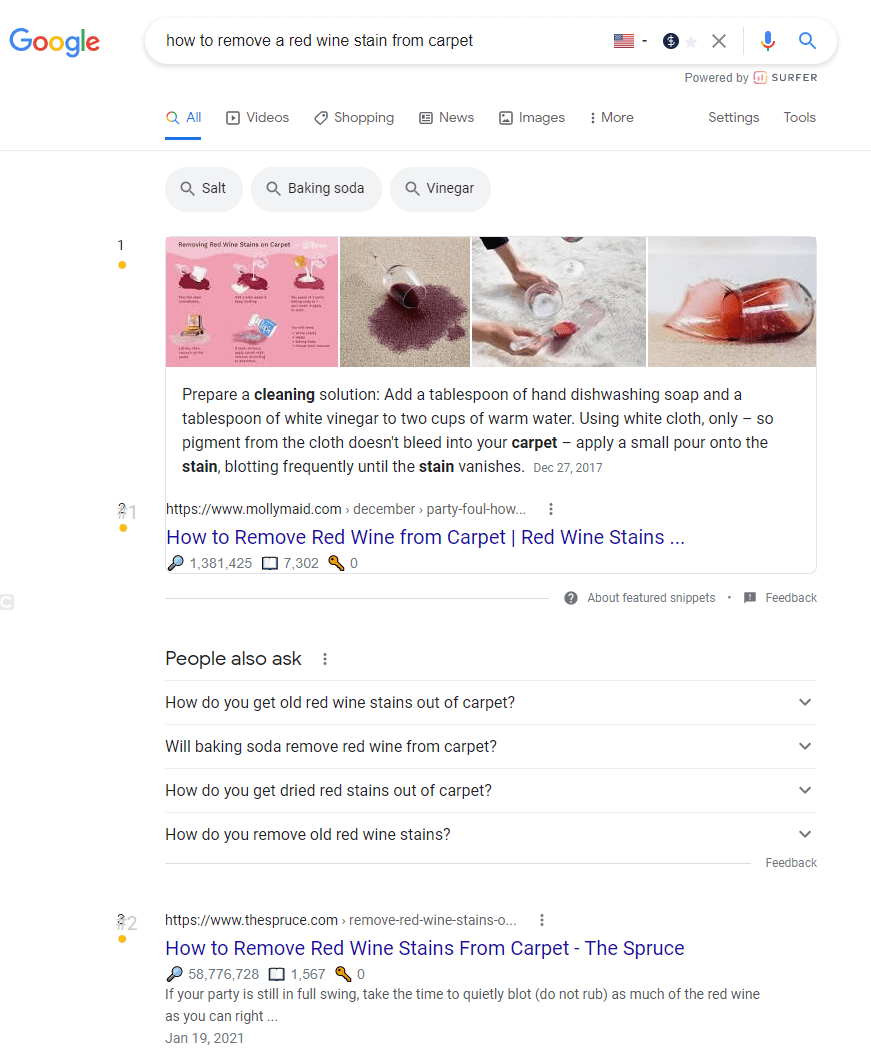
Means: The user has the problem that there is a red wine stain on his carpet, and he is looking for tips on how to remove it.
Informational search queries can often be very general, as in this.
Example: “herniated disc”.

Means: The user would like general information about the subject of a slipped disc.
The user intends to carry out a certain action, for example, a download, a reservation, or an order. It is not necessarily a purchase like commercial searches.
Example: “Download SEO EBook”.
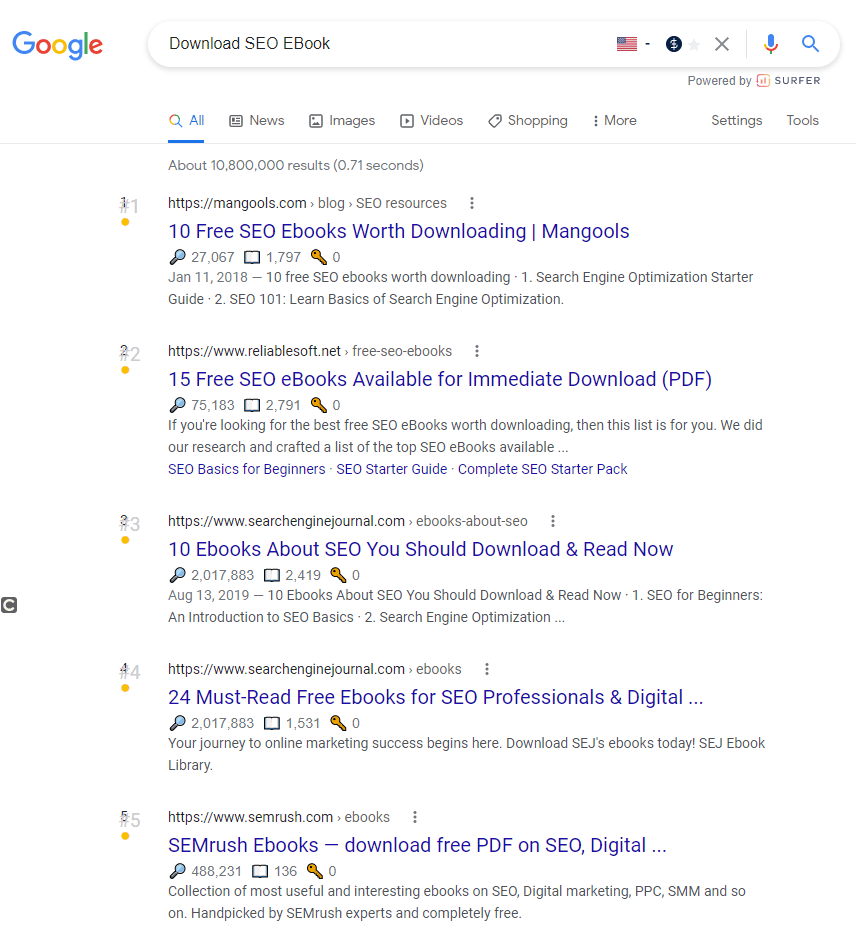
Behind these search queries, there is a specific purchase intention.
The user has already carried out a research process and is looking specifically for a product or a solution.
Therefore, exact brands or product names are often used here:
Example: “Puma Fenty black”.
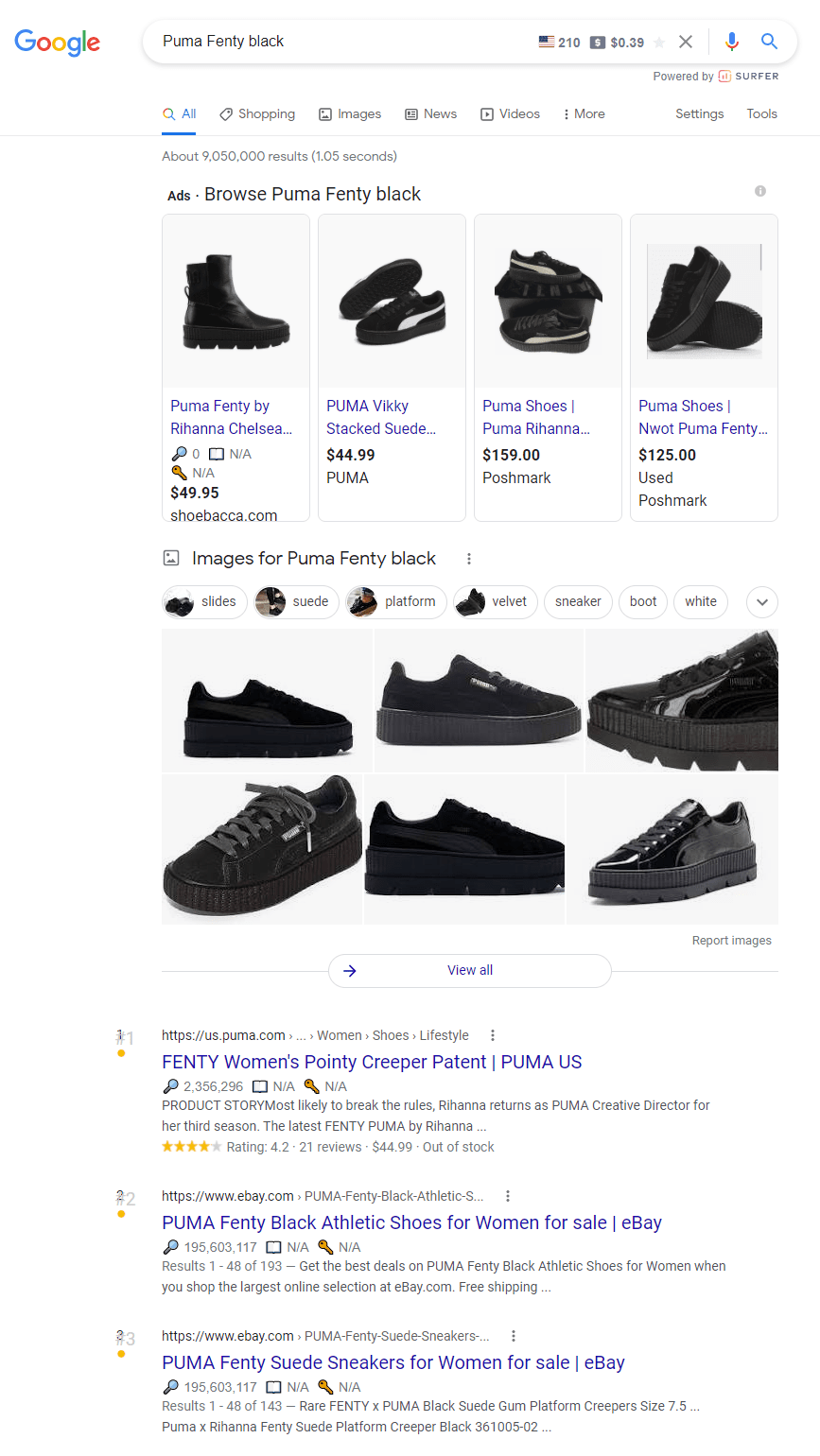
Because the product names are often entered directly, many shopping results are also displayed with these inquiries.
But the search for a product in combination with “buy”, “order” or similar terms are commercial inquiries and very interesting for many online shop operators.
The same applies to search queries from users looking for services and advice, such as ” good SEO agency ” (Ok, sorry – I just had to set the internal link).
With navigational search queries, the user uses Google to come to a specific website subpage without entering the exact URL.
The user knows the target page but does not want to search the entire website for the sake of convenience.
The user already knows the target page he wants to go to but does not know the exact URL and does not want to search the entire website.
Example: “Customer support amazon”.
How Do I Find Out The Search Intention For My Keywords?
Using the examples above, you can quickly guess what the user is looking for. Someone who enters the keyword + “Buy” wants to compare prices or just buy something directly.
It will be more difficult to find out the search intention for more generic terms. What does someone want to know who enters “fire extinguisher”?
To find out the search intention for such terms, the easiest way is to look at the TOP TEN on Google for the respective term.
Do shops appear here to satisfy the commercial intention, or do wiki or blog articles appear to answer the information intention?
Take a close look at how the competitors satisfy the search intention. From this, you can conclude what exactly the search intent is!
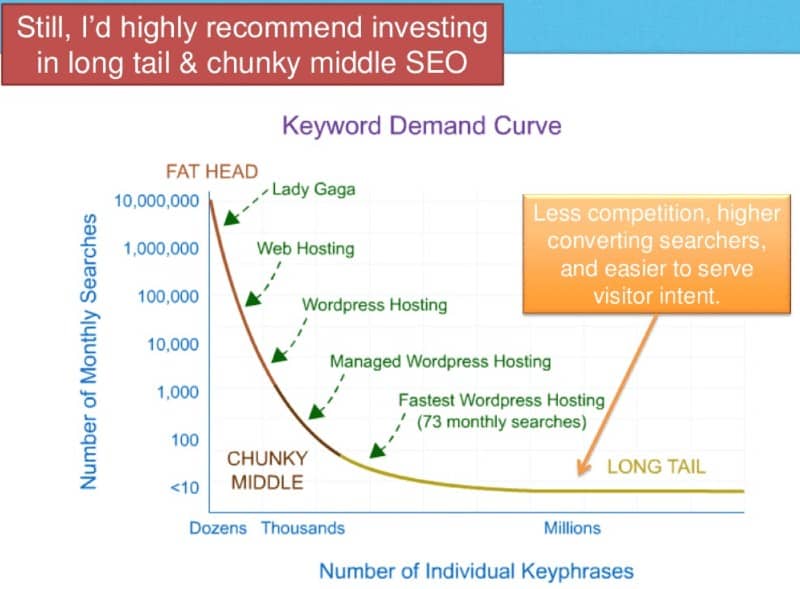
In addition to determining the search intention, it is important to sort the research according to the short, medium, and long search queries:
[su_list icon=”icon: check” icon_color=”#fb7949″]
- Shorttail are often generic terms – with a high search volume but an imprecise search intention and usually target a very competitive market.
- Midtail has a lower search volume, but the search intent is easier to determine. The conversion is usually better (see comparison “fire extinguisher” vs. “buy fire extinguisher” – here someone wants to buy something like this with the mid-tail search term, while with the short tail, it is more the information retrieval is in the foreground).
- Longtail has the lowest search volume, but they are usually easier to bring to the front and are very specific, so that optimization based on the search intent is easier. The exception is when many competitors are already optimizing long-tail keywords, as is often the case with online shops (e.g., buying cheap solid wood furniture online).
[/su_list]
1. The First Step In Keyword Research
After the theoretical part, we start with the first important step in the research.
Before we even use any research tools, it helps immensely to take pen and paper and write down all the search terms that may be relevant for the website and the company (brainstorming!), As a team or alone.
Every keyword research begins in-house, so to speak:
[su_list icon=”icon: bookmark” icon_color=”#fb7949″]
- Which products/services are being advertised?
- What terms are used on the website and by the competition?
- What technical terms are there in the industry in which your company is located?
- Are there any specialist portals (analog or digital) in this area? What terms are used here?
- Which topics and terms are used in the industry in the social media channels? What is particularly popular right now?
- Forums also provide valuable information for collecting possible search terms.
- What terms do customers use? If available: Customer support or sales can often provide a lot of input here.
- Team brainstorming.
[/su_list]
No tool in the world can replace this first step. Only you and the company know the goal. You need the first terms to create further potential search queries.
2. Keyword Research Using Free Tools
With free and paid keyword research tools, you can check the terms you have considered so far for the search volume and display further ideas.
The following free tools, which we will introduce to you here, often show users other valuable search terms, which are also searched for that and may have been forgotten during the first brainstorming session.
We need the paid tools to find out the monthly search volume.
Note: Collect all the terms you find during your research in an Excel list.
This list should later become your master keyword list (here is an example: keyword research), which is essential for optimizing your search engines’ website.
By collecting all the terms in Excel, you can quickly remove duplicate content, filter it as you wish, merge it into a pivot table, and cluster it accordingly for a better overview. We’ll show you how to do this in the course of this article.
Let’s start looking for relevant search terms with the help of tools:
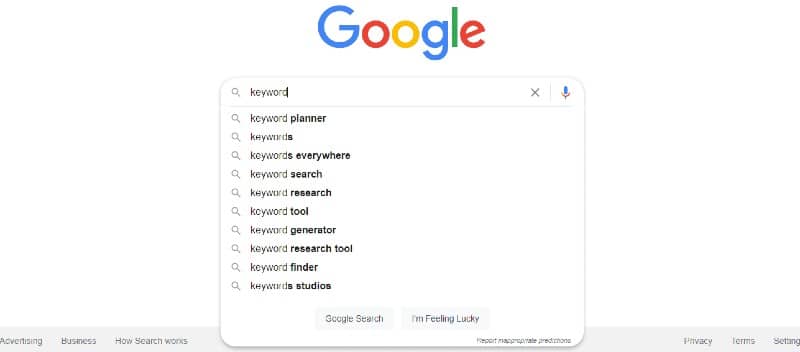
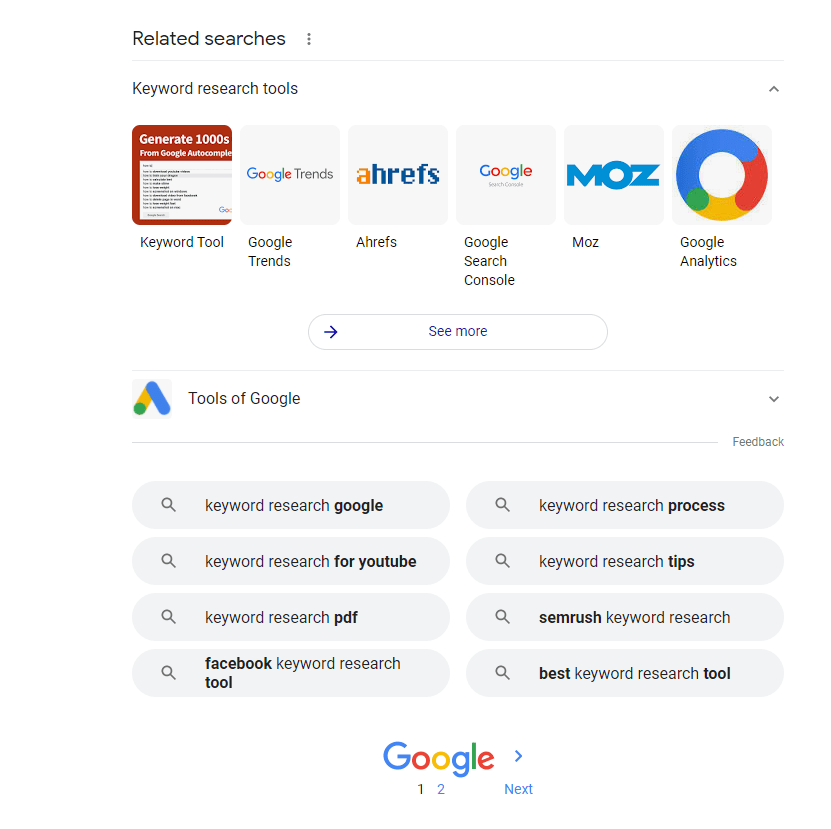
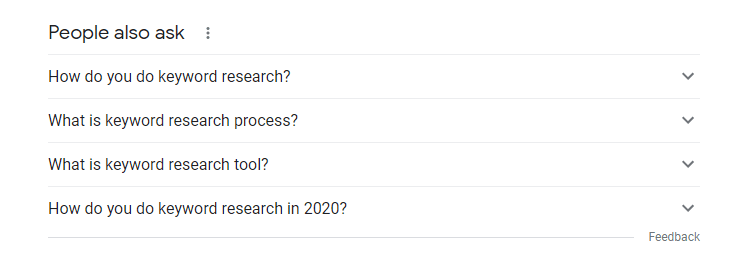
Google itself suggests more suitable search terms for your search entries. Often valuable terms can be found here for further research.
Bing, Yandex, and other larger search engines also suggest further search queries to the searcher.
Suitable suggestions will be displayed in the search bar and at the bottom of the page.
Google Trends shows you the development of search queries, showing you the frequency with which this search entry is entered on a timeline.
In this way, “trends” can be found for keywords and those becoming less and less important.
For example, you can see that the term “Minecraft” has been losing more and more relevance since 2011 and that the search queries for it have been declining.

The development of well-known products and names is of particular interest here.
Here you will also be shown related topics and similar search queries that may be of interest when researching suitable keywords.
Here you can see the current search terms for which your website is found on Google: it is very helpful to research further possibilities with these terms and see how much traffic you are already getting from the organic search results.
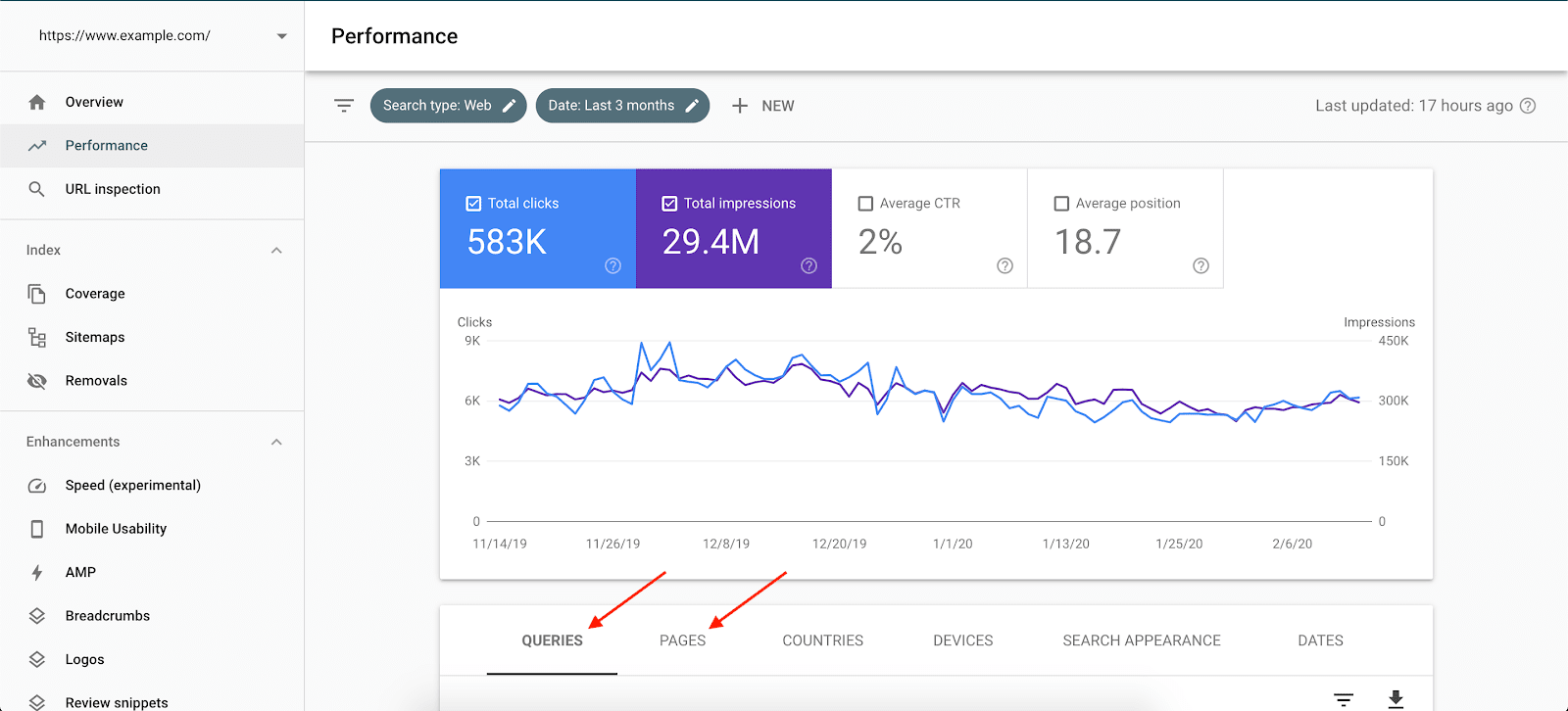
Free keyword research via the Search Console: The current search terms for which your website is found are displayed under Services and then Search queries.
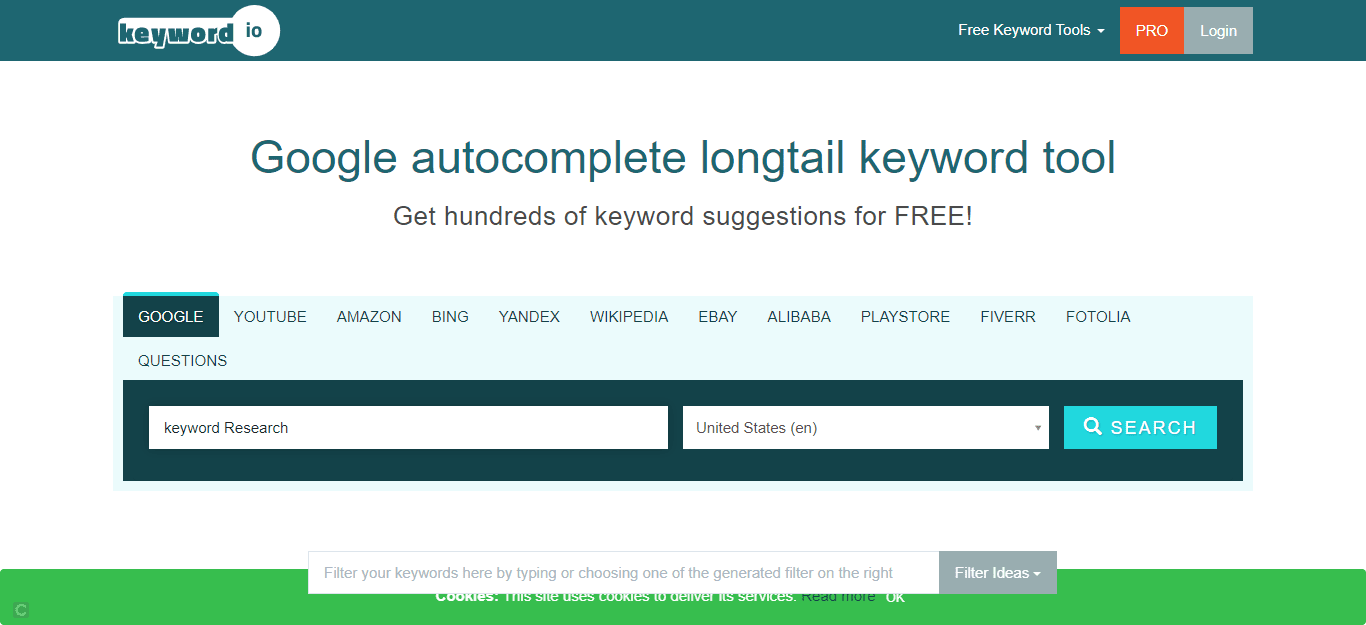
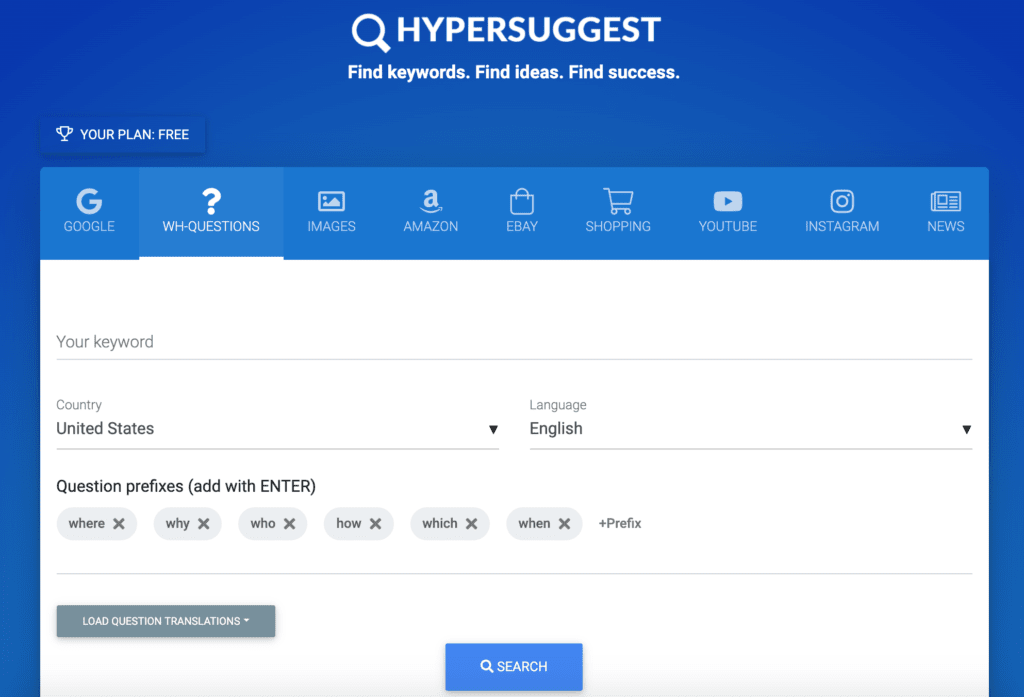
Enter a search term in the search bar and the tool will spit out tons of suggestions.
In order to be able to download all suggestions, you have to register free of charge beforehand.
The tool provides you with suggestions from Google and many other major platforms such as Amazon, Youtube, and even Fiverr.com.
The research is not limited to Google, but to many other categories, such as shopping, W-questions, pictures, Instagram and many more.
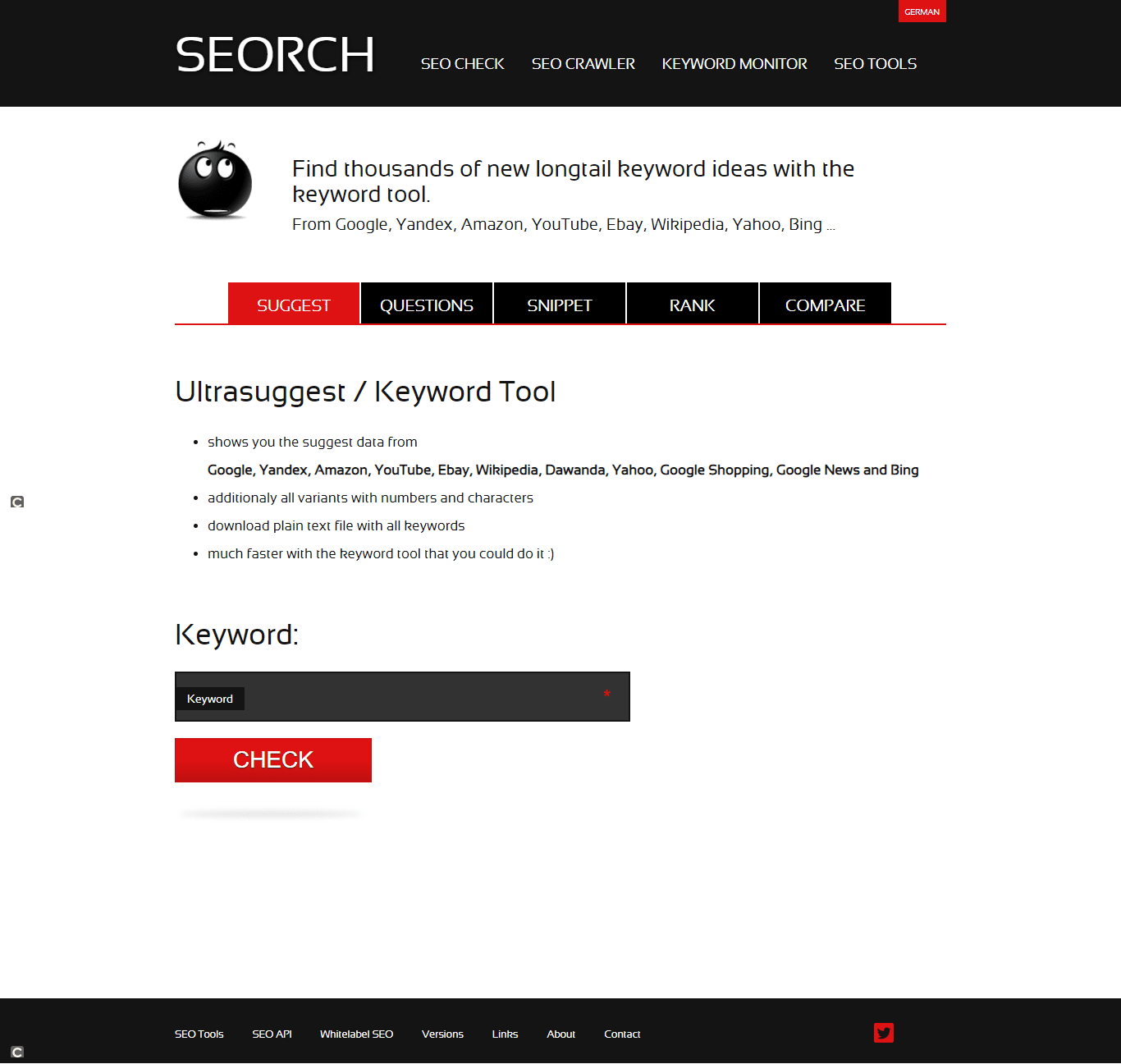
With the tool seorch, you can not only carry out OnPage analyzes for your site, but it also offers you the possibility of keyword research.
Enter your desired search term here and click on “check”.
The tool suggests countless input suggestions from the search results of Google, Amazon, Wikipedia and many more.
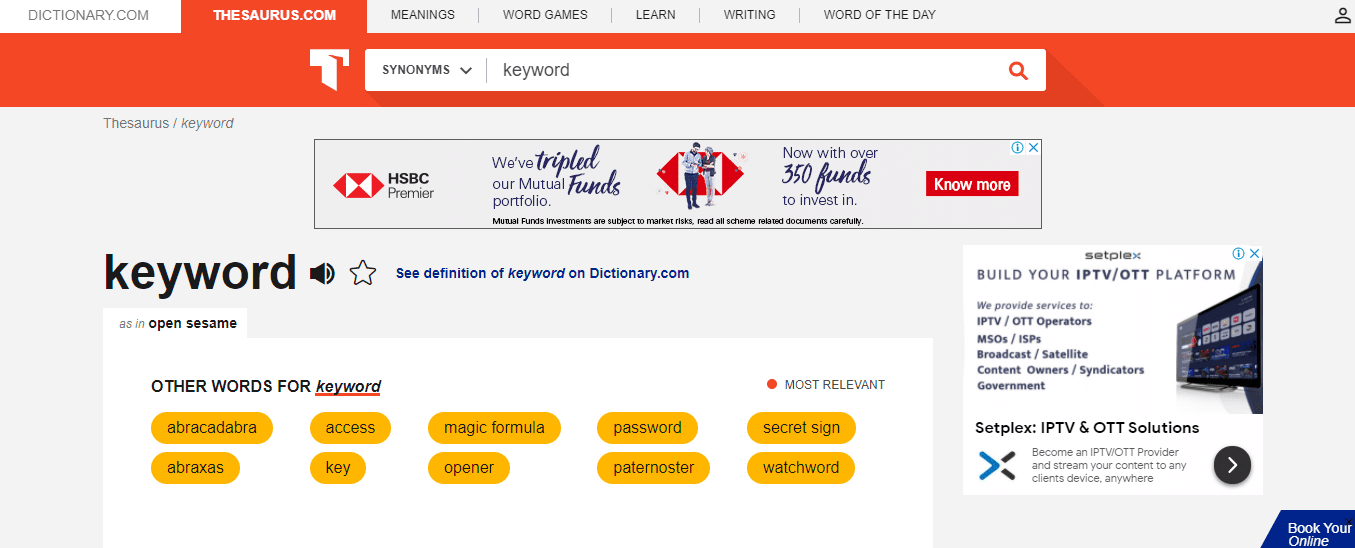
On Thesaurus you can display countless synonyms for your search terms and then expand them with Hypersuggest, Seorch and Co.
Depending on the search term, thousands of terms quickly come together here, which we will sort through later.
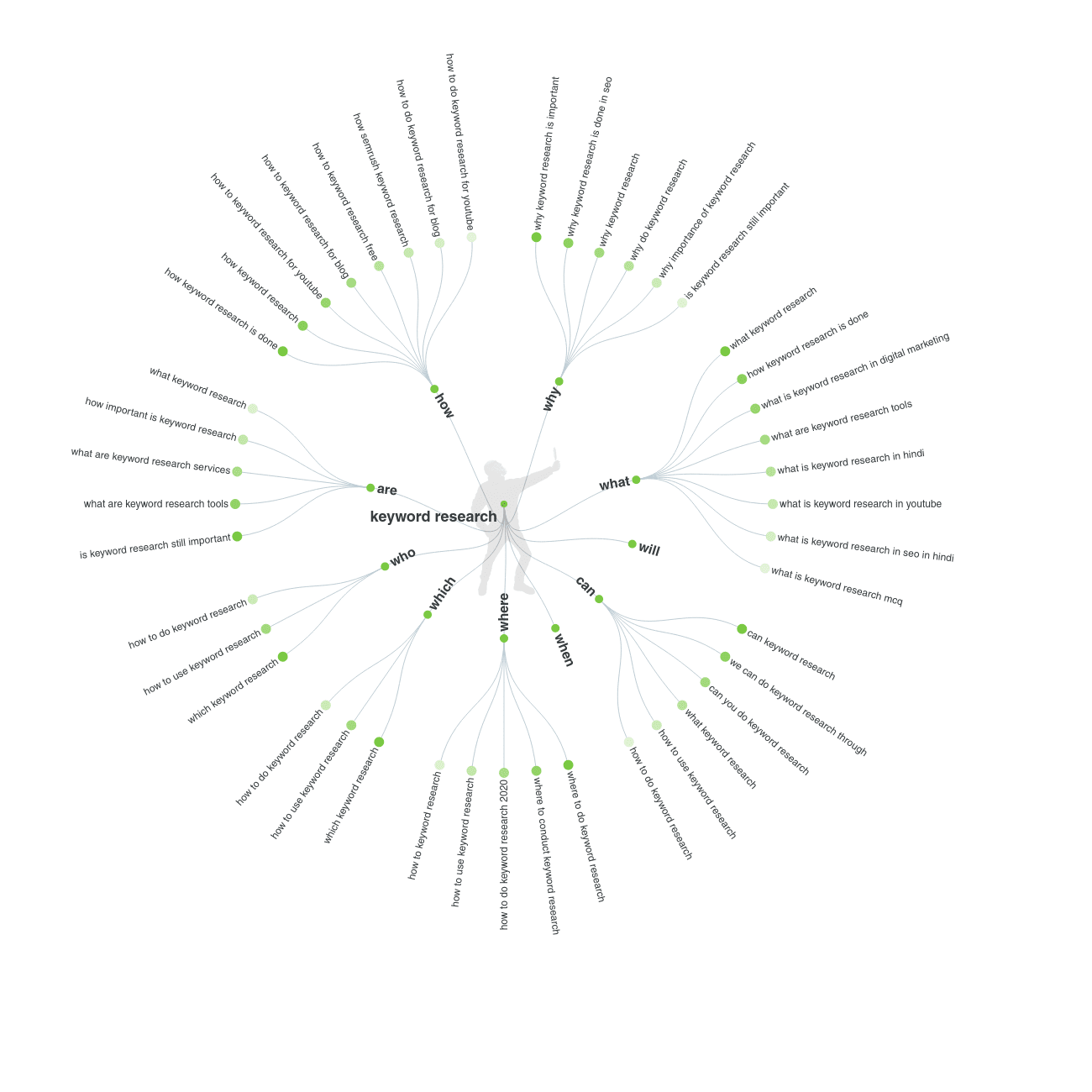
The results are listed according to various categories such as questions, prepositions, and comparisons.
In addition, all suggestions are sorted alphabetically.
The tool is ideal for searching questions from the target group and possibly getting to know their problems better.
The tool is completely free and should also be taken into account in any research.
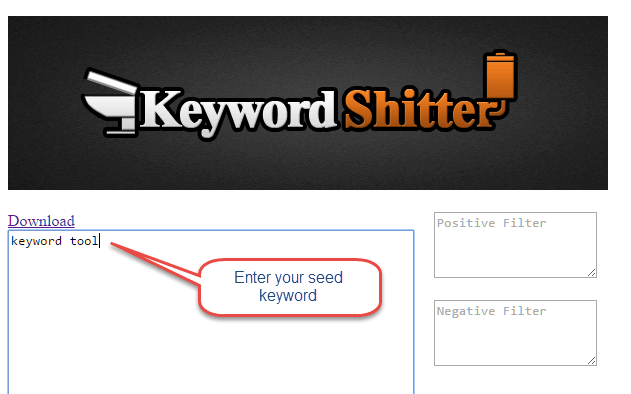
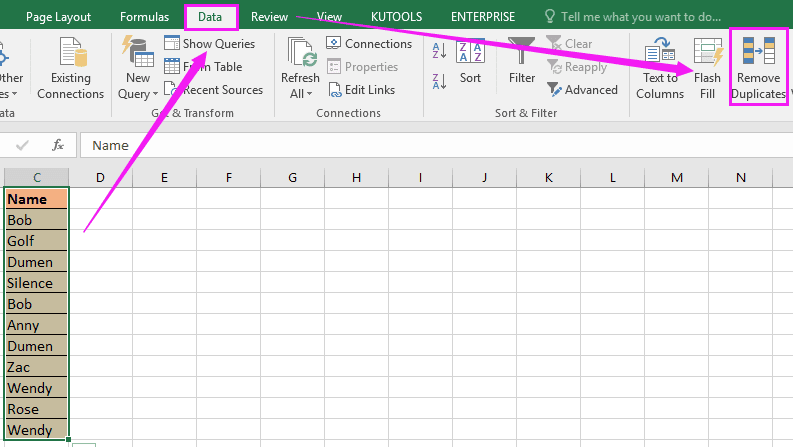
If you have collected all the keyword ideas in an Excel list by then, you can already start to sort them.
Click on “Data” at the top of the tab and then on “Remove duplicates” to save your unnecessary extra work.
Many tools also suggest a lot of terms that will probably not fit.
If such terms have been added to the list, it is time to remove them.
Example: You want to research more ideas on SEO, and the list contains suggestions for SEA or Facebook marketing.
You can only determine which terms are suitable (unfortunately, no tool does that).
Many tools use different data sources and therefore deliver different results.
To collect as many keyword ideas as possible, you should also use as many different tools as possible to collect terms.
Duplicate or unsuitable keyword ideas can always be sorted out later. The Google Keyword Planner, for example, provides the fewest ideas.
The next step is to determine the monthly search volume for all relevant search terms.
3. Keyword Analysis With Fee-Based Tools: Determine Search Volume
With tools like Sistrix, Metrics.tool, and Xovi (there are a few more), you can analyze your competition keywords and develop other interesting keywords.
The tools are chargeable but are worthwhile for research and competition analysis, as some interesting, new keywords can be discovered here quickly.
The three tools also offer keyword research. So you can collect more ideas here.
Now let’s move on to the next step: determine the search terms’ monthly search volume in your list.
However, no real free tool can show you the monthly search volume.
This used to be done through the Google Ad (words) keyword planner. However, this now only works if an active campaign is running.
To find out the monthly search volume, we recommend kwfinder.com or ahrefs.com.
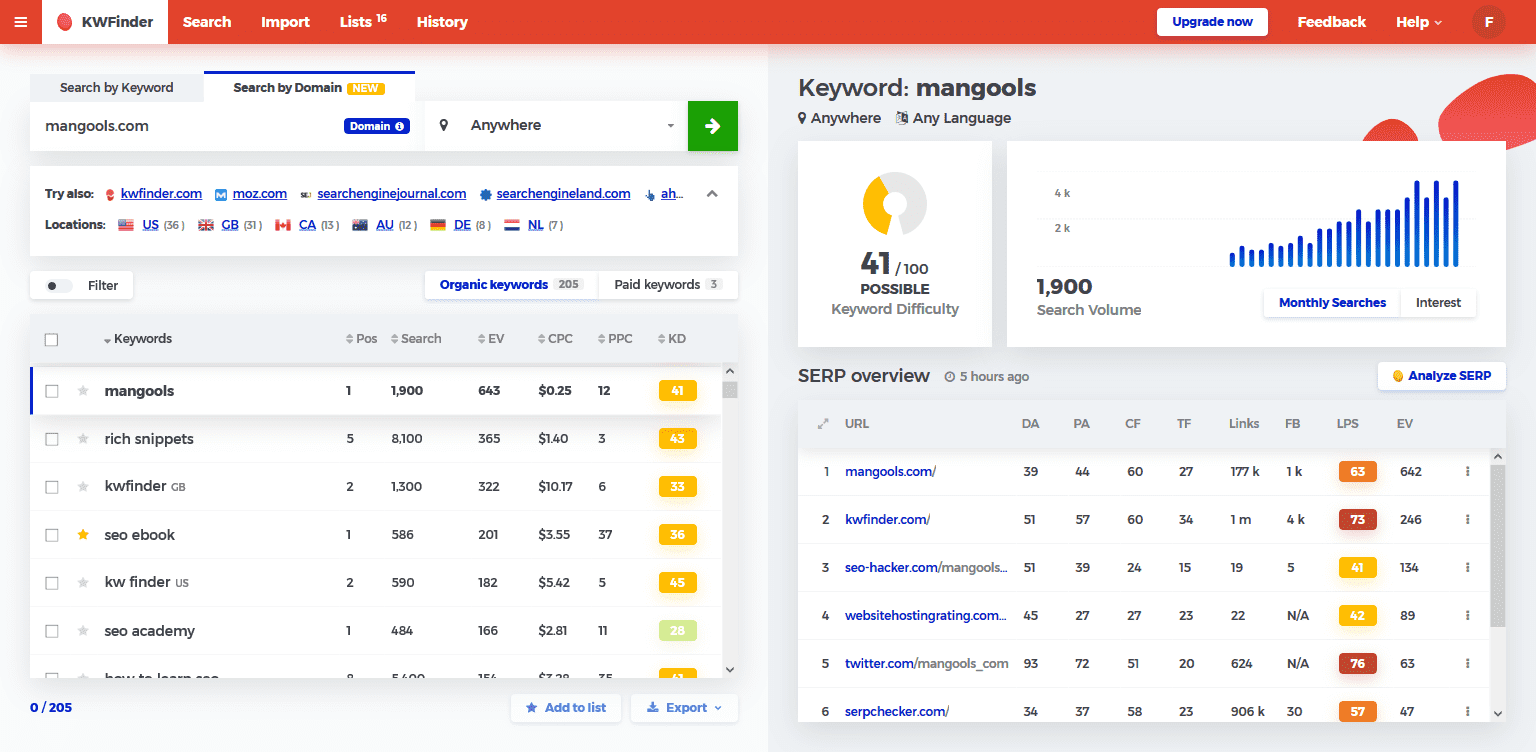
With this paid tool, all terms from our list can be conveniently entered via an import function using copy and paste, and the monthly search volume can be queried.
Export the list – we will use the pivot function to convert it into a clear keyword master list.
You can use the import function to enter all keywords from your research and find out the monthly search volume.
Of course, there are still umpteen fee-based alternatives, such as secockpit, all of which also show you the monthly search volume and have practical import and export functions.
If you don’t want to spend money on keyword research, you should look at the following tools:
[su_list icon=”icon: check” icon_color=”#fb7949″]
[/su_list]
Unfortunately, some of the free tools are very limited. However, these are sufficient to find out the search volume for few terms quickly. For larger lists, however, there is no way around paid tools.
[su_list icon=”icon: circle” icon_color=”#fb7949″]
- Important note I: The PPC price per search term tells you whether the keywords trigger conversions (sales) – if nobody pays for them, then the keyword will probably not bring in anything…
- Important note II: Selected keywords can be tested for conversion using Google Ads. Here you can then select which keywords you will later optimize for SEO and which not.
- Important note III: Search volumes are only historical values. The exact search volume is, therefore, always very vague. Changes due to trends, politics, etc., can change the search volume significantly!
[/su_list]
You have now summarized all of the keywords in an Excel list. Go through them all over again and delete any keywords that are not relevant enough to you and make sure that you don’t have any duplicates
4. Keyword Analysis: Assess The Competition Correctly
Before we finish the keyword map using pivot, you should take a realistic look at your keywords in advance: Does your website have a chance to move up to the keywords found during the research?
There is no one-size-fits-all answer here as every website and competition is different.
Check out who is in the TOP TEN for each keyword. Suppose you have a particularly large number of short-tail keywords and/or keywords with a transactional search intention on which a high PPC price is already offered (prices per click on Google Ads).
In that case, it could be very difficult for many websites. If big brands in the TOP TEN run TV advertising, it will be especially tough for you.
We recommend using long-tail keywords for customers exposed to such high competition, as short-tail keywords are often extremely competitive.
Tools like KWFinder or SEcockpit, try to determine the competition, but they often only analyze a few metrics such as the domain and page authority of Moz and then make statements that are often not realistic.
Just because a single Amazon subpage has no external links does not mean that you can easily get to the front here.
You should consider the following points in the competition analysis to get an answer to whether the keywords are feasible or not:
[su_list icon=”icon: hand-o-right” icon_color=”#fb7949″]
- Which pages are shown in the TOP TEN?
- Big brands, brands are particularly difficult to overtake.
- Forums, on the other hand, are often easier to crack.
- Even videos in the TOP TEN suggest moderate competition.
- How strong are the link profiles?
- Not only on external links, especially large brands have such a good page architecture thanks to their internal linking that a lot of link power goes to sub-pages that have no external backlinks and are therefore difficult to overtake.
- How is the search intention answered? How is the content? Is it possible for you to overtake the competition in terms of content?
- How well is the competition performing the on-page optimization of their pages? Often you can already see from a “Site:” query whether the competition is optimizing their pages well or less well. Once the title and description have been maintained, they have done their homework and may have already optimized them…
[/su_list]
Common sense goes a long way in determining the competition.
Often you can see at a first or second glance whether the competition in the TOP TEN does excessive SEO or not. Do the pages look outdated or fresh and up-to-date? Is there always new content? Are the social media channels used, etc.? In this way, it can be concluded whether this is being optimized or not.
5. Keyword Clustering: Create A Pivot Table With All Relevant Search Terms
If you have started keyword research for a larger page or several sub-pages, it is worthwhile to assign the many keywords to categories or directly to the respective URL.
So you can always see which URLs should be optimized for which keywords.
If you want, you can also enter the search intention here.
In our example, we have omitted this because it is research for an online shop and all keywords are in commercial search queries.
Using a pivot table, you can make the data much clearer and create a URL & keyword map. To do this, click on “insert”, then select all the data that should be included in the pivot table and click on Ok.
With the pivot function in Excel, you have many different ways to let off steam.
Conclusion:
You did it – you were shown dozens of ways how to find keywords for your SEO campaign and how you can sort a large amount of data in Excel more clearly.
By the way, keyword research is never finished.
Monitor the competition regularly and pay attention to trends in your industry. So you will likely continue to notice new interesting keywords for your website that you can optimize for.
Also, think about how you want to analyze your website’s development in terms of the keywords.
Tools like ahrefs.com, Serpwatcher.com, or advancedwebranking.com allow you to track your website’s rankings for your keywords and draw conclusions about successes and failures. Remember that keyword research is only the first step.
SEO is an ongoing process, and proper keyword research is the foundation for it. So never save time or budget here!
Do You Want More Traffic,
More Leads & More Clients?
Let us analyze your website today for better ranking & revenue. Click on the below button for a free analysis. Request A Free Analysis!
Rank jacker is proudly powered by WordPress